Approve a translation once. Reuse it in your AI.
Give your AI assistant the product wording, terms and claims your markets already approved.
One correction. The next writer gets it right.
A Swedish reviewer approves the wording for a dishwasher’s cutlery basket. Later, an agency writer asks for the same translation and gets the approved sentence back in a different chat.
Use it in the AI you already use
Choose your assistant to see where to connect Localizethat and what to ask first.
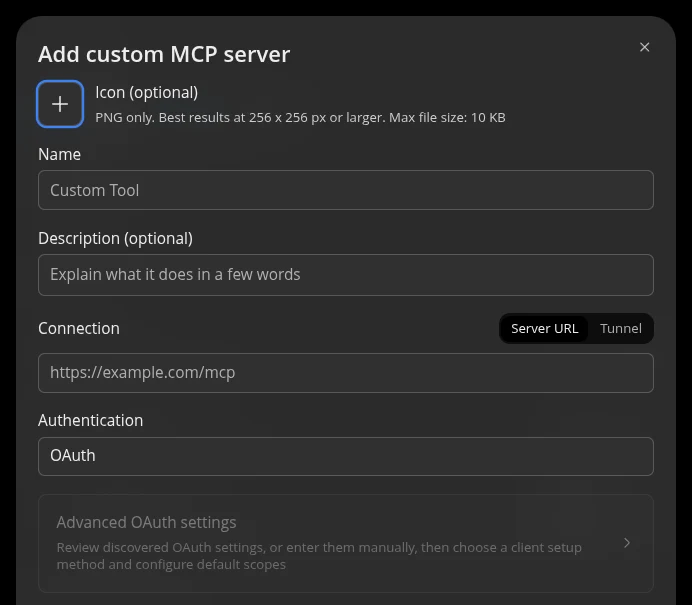
On Business, Enterprise or Edu, a workspace admin adds Localizethat as a custom MCP plugin. Developer Mode isn’t needed for this flow.
- An admin adds Localizethat as a custom MCP server under Plugins.
- Paste your Localizethat address and keep OAuth sign-in.
- Enable it in a chat, sign in once, then ask it to translate.
Then ask: “Use Localizethat to translate this dishwasher description for Sweden.”
Tested with a standard MCP test client, not yet confirmed live inside each assistant; a pilot includes checking yours. Try the 1-minute example before connecting anything.
Try it with one product and one market.
Bring one approved translation and a task your team repeats. We’ll help a reviewer and a colleague test whether the same wording comes back in their usual chat.
Free 30-day pilot. €29/month for one brand workspace if you continue.